


What is the Best IPTV Device for Football in 2026?
A device-by-device comparison for football viewers in the UK, USA, Canada, Australia, Europe and beyond Your IPTV provider sends the same signal to every device. The difference is...
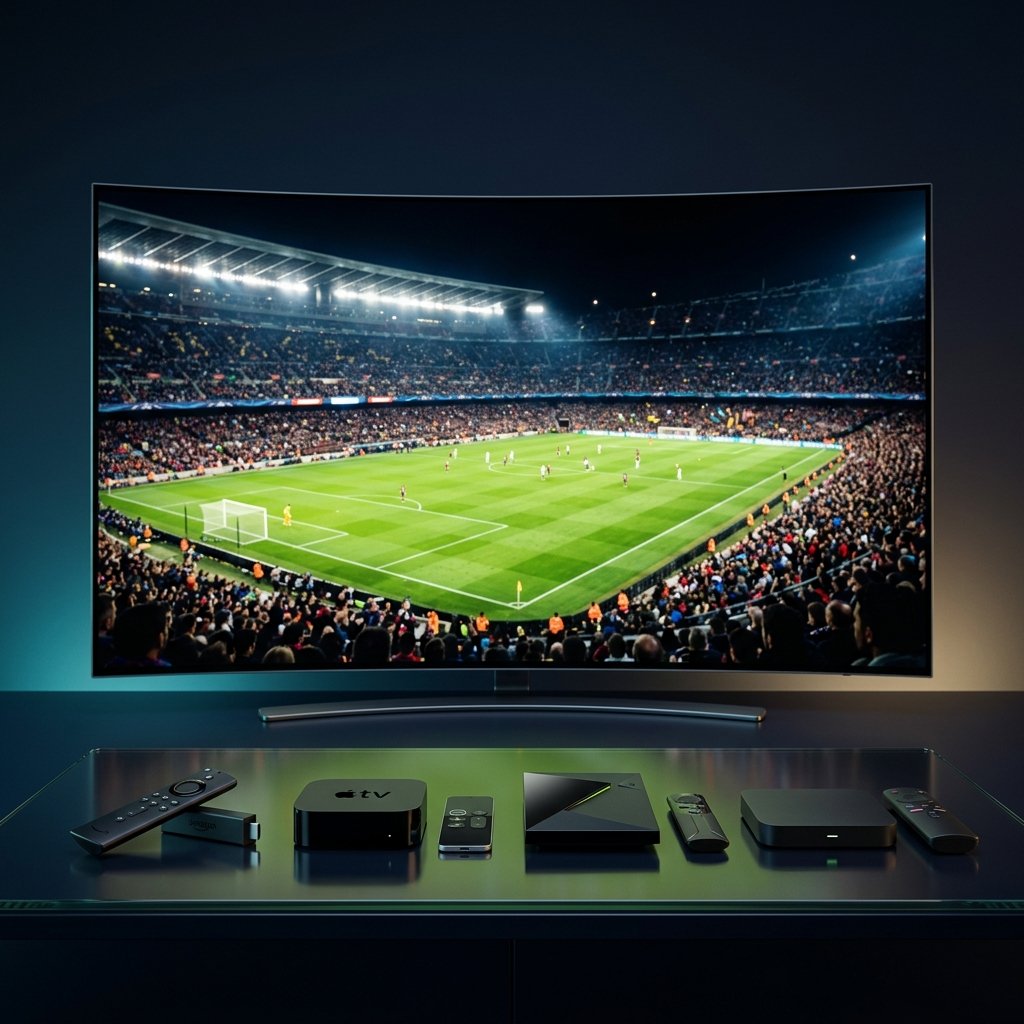
Why the device you choose matters more than you think
Most football viewers blame their internet when a stream freezes. But community reports consistently show that the same connection, the same provider and the same match can produce completely different results on different hardware. A Fire TV Stick running low on storage will stutter where a Shield TV plays cleanly. An Apple TV with limited player options may not support the same format that works perfectly on Android TV.
During the 2026 World Cup, with 48 teams and 104 matches, every device is under stress. Peak-time matches push servers, home networks and hardware simultaneously. Choosing the right device before the tournament is far easier than troubleshooting a frozen screen during a knockout round.
The four devices every IPTV football viewer compares
Community discussions across Reddit, forums and tech review sites consistently narrow the choice to four main categories. Each has clear strengths and weaknesses for live sport. The right pick depends on your priorities: budget, app ecosystem, raw performance or simplicity.
| Feature | Fire TV Stick 4K Max | Apple TV 4K | NVIDIA Shield TV Pro | Android TV / Google TV |
|---|---|---|---|---|
| Best for | Best value | Premium | Best overall | Versatile |
| IPTV app support | Excellent — TiviMate, Smarters, sideloading | Limited — fewer players, no TiviMate | Excellent — full Android TV app ecosystem | Excellent — widest compatibility |
| Hardware decoding | H.265/HEVC, AV1 | H.265/HEVC, AV1 (A15 chip) | H.265/HEVC, AV1 (Tegra X1+) | Varies by model — check specs |
| 50/60 fps sport | Yes — auto frame rate available | Yes — best auto frame rate matching | Yes — AI upscaling + frame rate | Yes on most modern models |
| Wi-Fi standard | Wi-Fi 6E | Wi-Fi 6 | Wi-Fi 5 (AC) — use Ethernet | Varies — Wi-Fi 5 to 6E |
| Ethernet | Via adapter (sold separately) | Built-in (Gigabit) | Built-in (Gigabit) | Built-in on boxes, adapter on sticks |
| Storage | 16 GB — fills up quickly | 32 / 64 / 128 GB | 16 GB + expandable microSD/USB | 8–32 GB depending on model |
| Heat management | Can overheat behind TV | Excellent — rarely overheats | Excellent — box form factor | Good on boxes, variable on sticks |
| Interface | Ad-heavy, Amazon-focused | Clean, ad-free, fast | Clean Android TV / custom launcher | Modern Google TV interface |
| Price range | $35–$60 | $129–$149 | $149–$199 | $20–$200 (wide range) |
🔥 Fire TV Stick 4K Max Best value
IPTV apps: Excellent — TiviMate, Smarters, sideloading
Decoding: H.265/HEVC, AV1
Sport fps: Yes — auto frame rate available
Wi-Fi: Wi-Fi 6E
Ethernet: Via adapter
Storage: 16 GB — fills up quickly
Price: $35–$60
🍎 Apple TV 4K Premium
IPTV apps: Limited — fewer players, no TiviMate
Decoding: H.265/HEVC, AV1 (A15 chip)
Sport fps: Yes — best auto frame rate matching
Wi-Fi: Wi-Fi 6
Ethernet: Built-in (Gigabit)
Storage: 32 / 64 / 128 GB
Price: $129–$149
🛡️ NVIDIA Shield TV Pro Best overall
IPTV apps: Excellent — full Android TV ecosystem
Decoding: H.265/HEVC, AV1 (Tegra X1+)
Sport fps: Yes — AI upscaling + frame rate
Wi-Fi: Wi-Fi 5 (AC) — use Ethernet
Ethernet: Built-in (Gigabit)
Storage: 16 GB + expandable
Price: $149–$199
📺 Android TV / Google TV Versatile
IPTV apps: Excellent — widest compatibility
Decoding: Varies by model
Sport fps: Yes on most modern models
Wi-Fi: Varies — Wi-Fi 5 to 6E
Ethernet: Built-in on boxes, adapter on sticks
Storage: 8–32 GB depending on model
Price: $20–$200
What to check on each device before a World Cup match
Fire TV Stick 4K Max
Clear the cache of your IPTV player and any unused apps. Check that storage is not above 80 per cent full — a nearly full Fire TV stick slows everything down. Restart the device before the match rather than leaving it in standby for days. If the stick is mounted behind the TV, check for heat by touching it. A hot stick throttles performance. Consider an HDMI extender to improve airflow.
Apple TV 4K
The hardware is powerful but the IPTV app selection is smaller. Check that your chosen player supports the stream format your provider uses. Verify that auto frame rate matching is enabled in Settings → Video and Audio so live football at 50 fps does not judder. If the app freezes, force-close it and reopen rather than restarting the entire device.
NVIDIA Shield TV Pro
The most powerful option for IPTV. Enable hardware decoding in your player. If using TiviMate, set the player to ExoPlayer with hardware acceleration on. The Shield’s AI upscaling works best when the source is a clean 1080p 50 fps feed. Connect via Gigabit Ethernet — the Shield’s Wi-Fi 5 is its main weakness.
Android TV and Google TV boxes
Performance varies greatly across this category. An Onn 4K Pro or Formuler box can rival the Shield for basic IPTV playback. A cheap generic box may overheat and stutter. Check RAM (at least 2 GB), storage and whether the device supports hardware decoding for H.265. Remove bloatware and consider a custom launcher such as Projectivy for a cleaner interface.
The player matters as much as the device
The best hardware cannot compensate for a poor player app. Community testing consistently shows that the combination of device and player determines the experience more than either one alone.
| Player | Best on | Key strength for football |
|---|---|---|
| TiviMate | Fire TV, Shield, Android TV | Superior EPG, multi-view, picture-in-picture |
| IPTV Smarters Pro | All Android devices | Simple setup, Xtream Codes support, auto-reconnect |
| MYTVOnline | Formuler boxes | Hardware-optimised, time-shift, designed for IPTV |
| GSE Smart IPTV | Apple TV, iOS | Best option for Apple ecosystem |
| IBO Player | Smart TVs, all platforms | Cross-platform, easy activation |
TiviMate
Best on: Fire TV, Shield, Android TV
Strength: Superior EPG, multi-view, picture-in-picture
IPTV Smarters Pro
Best on: All Android devices
Strength: Simple setup, Xtream Codes, auto-reconnect
MYTVOnline
Best on: Formuler boxes
Strength: Hardware-optimised, time-shift
GSE Smart IPTV
Best on: Apple TV, iOS
Strength: Best option for Apple ecosystem
IBO Player
Best on: Smart TVs, all platforms
Strength: Cross-platform, easy activation
If your current player buffers but another player on the same device does not, the problem is the app, not the connection. Always test at least two players before blaming the hardware or the provider.
Ethernet vs Wi-Fi: the real test for live football
Every community thread about buffering eventually reaches the same conclusion: Ethernet wins for live sport. Wi-Fi can work perfectly for on-demand content but live football is far less forgiving. A brief Wi-Fi drop of 200 milliseconds is invisible when watching a film. During a live match, it creates a visible freeze and a buffer rebuild.
If running a cable is impossible, use the 5 GHz or 6 GHz band, place the device within clear line of sight of the router and pause all large downloads and cloud backups during the match. A mesh node is only useful if its backhaul connection to the main router is strong.
Country-specific device tips
- UK and Ireland: Evening broadband congestion is the main issue. Use Ethernet and a device with fast channel switching. Fire TV is the most popular but consider the Shield if you watch multiple leagues.
- USA and Canada: Cable internet can show strong download speed but high latency under load. Use a device with built-in Ethernet (Apple TV or Shield) rather than relying on a Wi-Fi adapter.
- Australia and New Zealand: Distance to international servers makes routing critical. Choose a device that handles reconnection gracefully — TiviMate on Shield or Fire TV with auto-reconnect enabled.
- Germany, France, Italy, Spain, Netherlands, Denmark: IPTV is widely used across Europe. Formuler boxes with MYTVOnline are popular for their stability. Ensure your device supports both 50 fps (European broadcasts) and 60 fps feeds.
- Middle East and North Africa: Heat is a real hardware concern. Avoid stick-form devices mounted behind the TV in warm rooms. A well-ventilated box (Shield or Formuler) will perform more reliably during summer tournaments.
- Brazil and Portugal: Wi-Fi interference in apartment buildings is common. Use 5 GHz exclusively and keep the device close to the router. A Fire TV Stick with a USB Ethernet adapter is a cost-effective solution.
A practical buying checklist
Does it support hardware decoding for H.265/HEVC? — Essential for modern IPTV streams.
Can I install the IPTV player I prefer? — Check before buying. Apple TV has a limited selection.
Does it have Ethernet or a reliable adapter? — Critical for live football without buffering.
Is there enough storage? — 16 GB fills quickly. Expandable storage or 32 GB+ is better.
Does it handle heat well? — Box form factors manage heat better than sticks for long matches.
Common mistakes when choosing an IPTV device
Buying the cheapest Android TV box often creates more problems than it solves. Generic boxes with 1 GB RAM and outdated Android versions cannot run modern IPTV players reliably. Choosing Apple TV without checking app availability first can leave you without your preferred player. Assuming a Smart TV’s built-in app is as good as a dedicated box ignores the fact that Smart TV apps often have less memory, slower processors and fewer diagnostic options.
The biggest mistake is testing a new device with a five-second channel check. Use the same 30-minute test described in our buffering guide: channel opening, ten minutes of play, one channel switch, a short interruption and a reconnection test. Score each setup for stability, motion quality and recovery speed.
Frequently asked questions
Is Fire TV Stick good enough for 4K IPTV football?
Yes for most viewers, but keep storage below 80 per cent, restart before big matches and use an Ethernet adapter if possible. It struggles more than box-form devices during extended sessions in warm rooms.
Does Apple TV support TiviMate?
No. TiviMate is Android-only. On Apple TV, use GSE Smart IPTV, IPTV Smarters or similar players. The hardware is excellent but the IPTV app ecosystem is smaller.
Which device has the best hardware decoding for sport?
The NVIDIA Shield TV Pro has the most powerful processor for IPTV. Its Tegra X1+ chip handles H.265 and AV1 with ease, and its AI upscaling can improve lower-quality feeds. Apple TV’s A15 chip is also very capable.
Do I need Ethernet for IPTV football?
Not strictly necessary, but strongly recommended for live sport. Wi-Fi introduces variable latency that live streams tolerate poorly. Ethernet removes the most common cause of intermittent buffering during matches.
Is NVIDIA Shield worth the extra cost for IPTV?
If you watch live sport regularly and want the most reliable experience, yes. The combination of powerful hardware, built-in Gigabit Ethernet, expandable storage and full Android TV app access makes it the best single investment for dedicated IPTV viewers.
Can a Smart TV app replace a dedicated streaming box?
Smart TV apps are convenient but typically have less processing power, less memory and fewer player options than a dedicated device. For casual viewing they work. For reliable match-day viewing of high-bitrate sport, a dedicated box is a better choice.
Community research used for this guide
This article summarises recurring user reports and community testing patterns. Results vary by device model, firmware version, provider and network configuration.
- Reddit — TiviMate: buffering despite good internet speed
- Reddit — Why 90% of IPTV problems are device and setup, not the provider
- Reddit — 50/60 fps matters more than resolution for live sport
- Reddit — Fire TV storage, cache and heat troubleshooting
- Reddit — Shield TV Pro still the best device for IPTV in 2026
- Reddit — Best streaming device for live sport 2026 comparison
Test one device change at a time and keep notes from peak-hour viewing during the World Cup.